Apps ask other apps
When you pay for coffee in the app, the app doesn't handle your card by itself.
It asks a payment company to do it. It asks a maps service where the nearest shop is. And it asks an email service to send your receipt.
The way one piece of software asks another for something is called an API.
API stands for application programming interface. But the idea is simple.
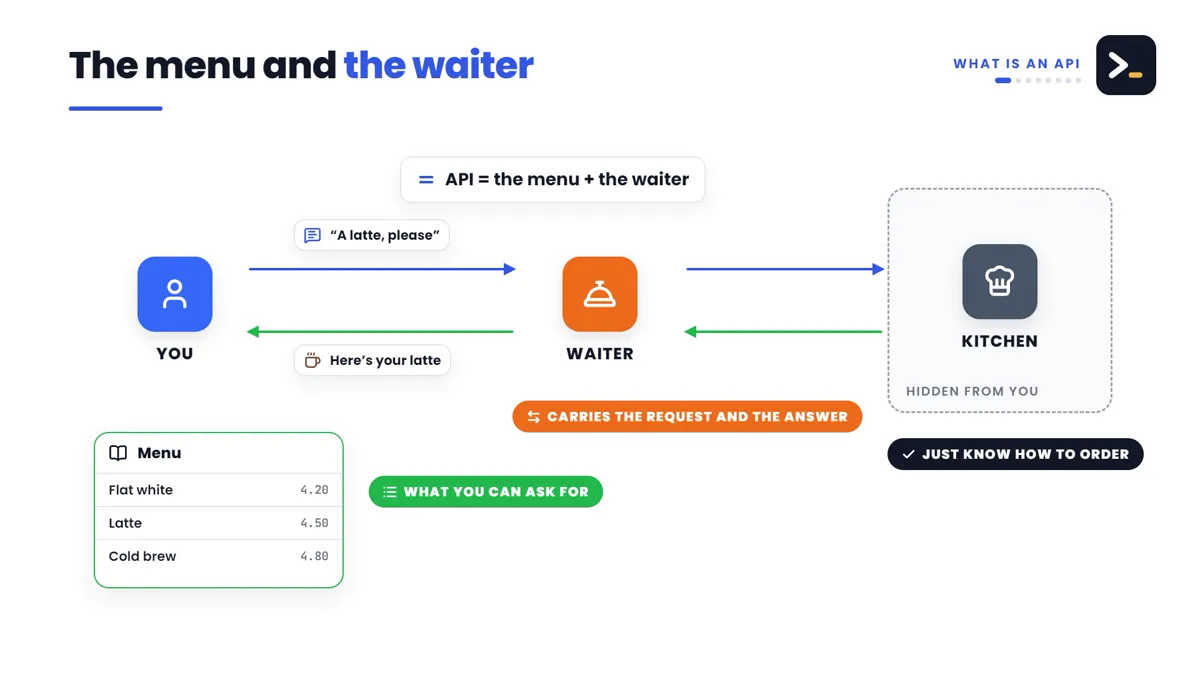
The menu and the waiter
Think of a restaurant. You don't walk into the kitchen. You read the menu, and you tell the waiter what you want.
The waiter takes your order to the kitchen, and comes back with your food.
An API is the menu and the waiter. The menu lists what you can ask for. The waiter carries the request, and brings back the answer.
You never see how the kitchen works. You just need to know how to order.
Request and response
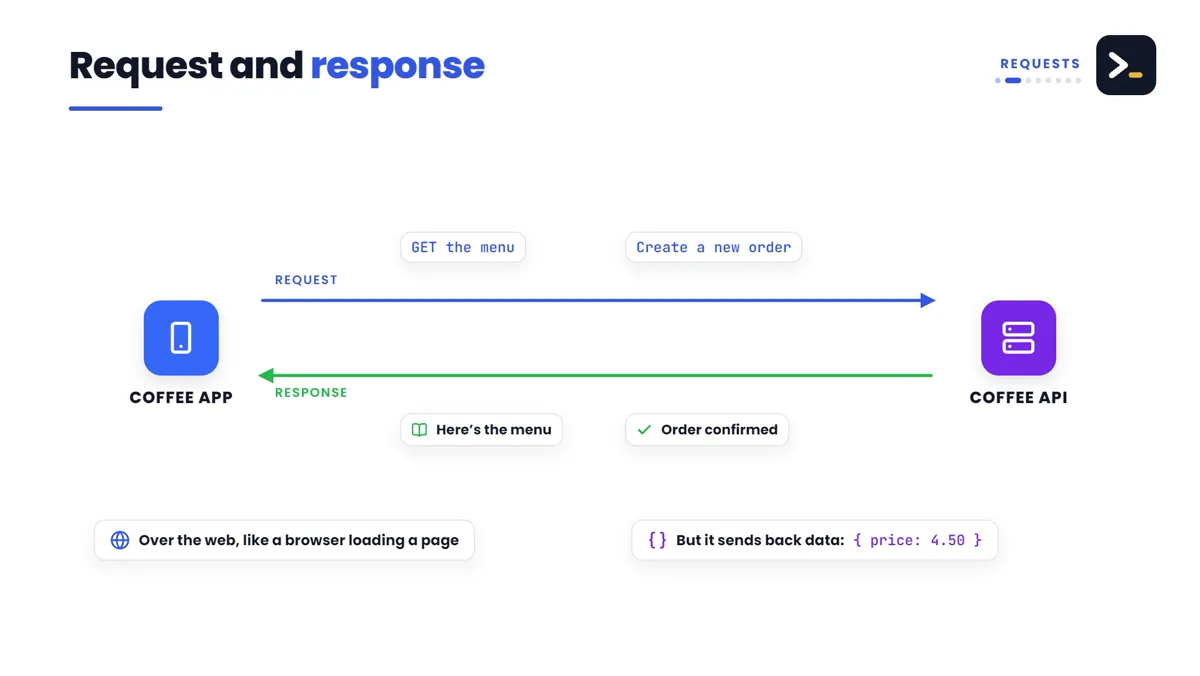
Every API conversation has two parts. A request, and a response.
The request says what you want. Like, get the menu, or create a new order.
The response is the answer. Here's the menu. Or, your order is confirmed.
Most of this happens over the web, the same way your browser loads a page. It just sends back data, instead of a web page.
REST: endpoints and verbs
The most common style of web API is called REST.
Each thing you can work with has its own address, called an endpoint. Like slash menu, or slash orders.
And there are a few standard verbs. Get, to read something. Post, to create something. Put, to change it. And delete, to remove it.
So get slash menu means, show me the menu. And post slash orders means, place a new order.
The data usually comes back as JSON. It's just text, with labels and values, that both people and programs can read.
API keys: who’s asking
But the payment company doesn't let just anyone charge cards.
So every request carries an API key. It's like a password for your app. It says who's asking, and what they're allowed to do.
That's why API keys must stay secret. Never put them on a public website, or show them in a screenshot.
If a key leaks, someone else can use the service as you, and you might get the bill.
Status codes: what happened
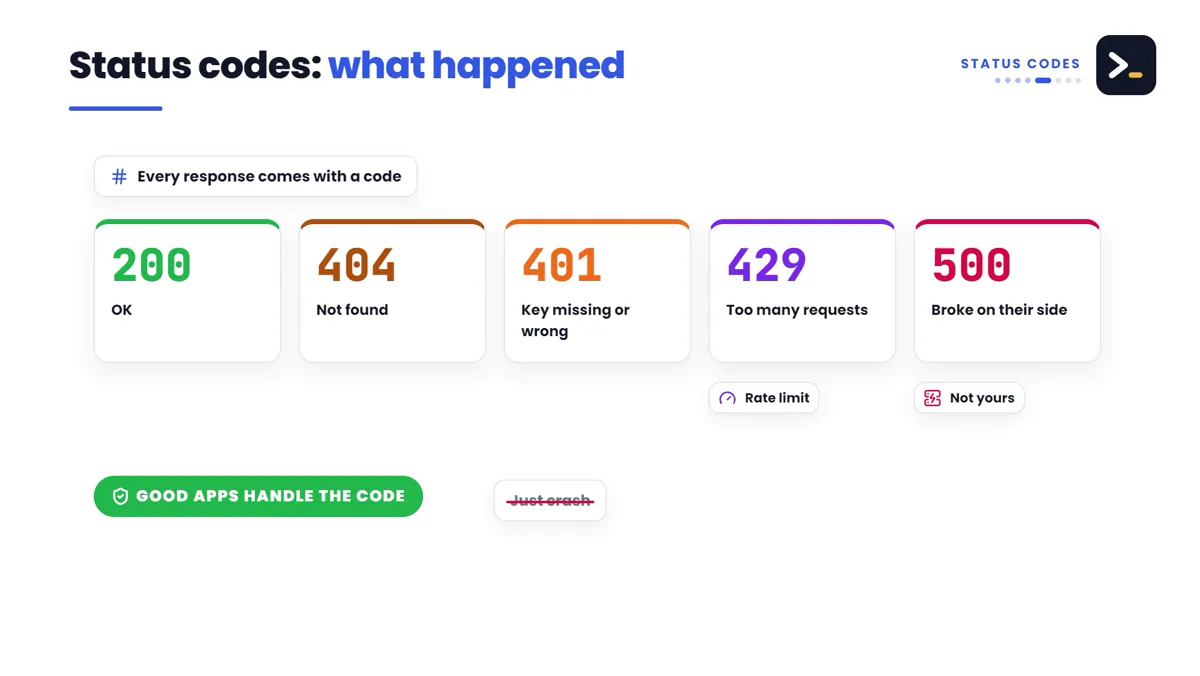
Sometimes the answer isn't what you hoped. So every response comes with a status code.
Two hundred means OK. Four oh four means not found. Four oh one means your key is missing, or wrong.
Four twenty nine means too many requests. Most APIs have a rate limit, so one app can't flood them.
And five hundred means something broke on their side, not yours.
Good apps check these codes and handle them, instead of just crashing.
Webhooks: the API calls you
So far, your app always asks first. But what if the payment takes a few seconds?
You could keep asking. Is it done yet? Is it done yet? That's wasteful.
Instead, many APIs offer a webhook. You give them an address, and they call your app the moment something happens.
Like, the payment went through. It's an API that calls you.
APIs and AI tools
One more thing, because this is where AI comes in.
AI assistants run behind APIs too. When an app adds an AI feature, it usually sends a request to an AI model's API, and gets the answer back.
And AI agents use APIs the other way around. To check the weather, book a meeting, or update a ticket, they call the same kinds of APIs your apps do.
So understanding APIs helps you understand what AI tools can actually reach.
Putting it all together
So let's put it together. An API is how software asks other software for something. A request goes in, and a response comes back.
REST APIs use endpoints and simple verbs, and they usually answer in JSON.
API keys say who's asking, so keep them secret. Status codes tell you what happened. And webhooks let the API call you.
That’s an API
That's an API. A menu and a waiter, for software.