Where does the data go?
Every order in the coffee app has to be saved somewhere. Who ordered, what they ordered, and whether they paid.
You could write it all to a file. But then a thousand customers order at the same time, and two of them try to change the same file.
Things get lost. Searching gets slow. And one crash can break everything.
That's why apps use a database. A program built to store data safely, let many people use it at once, and find things fast.
Data lives in tables
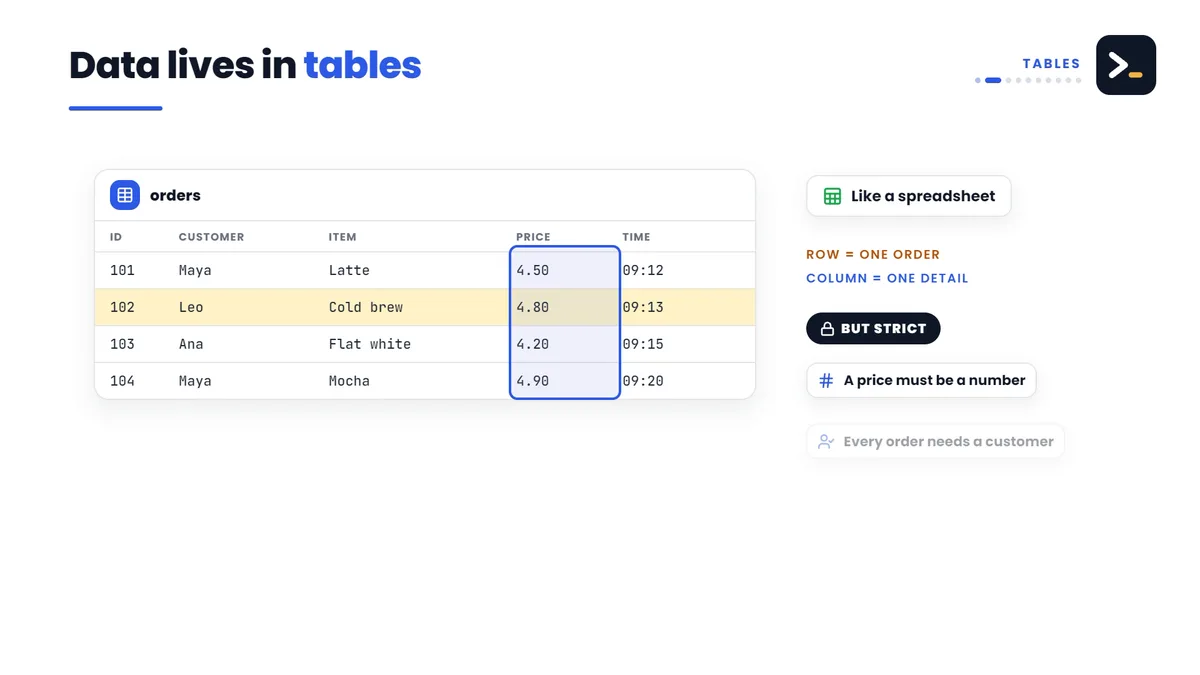
Most databases organize data into tables. A table looks a lot like a spreadsheet.
Each row is one thing, like one order. Each column is one detail, like the item, the price, or the time.
But unlike a spreadsheet, a database is strict. A price has to be a number. An order has to have a customer. That keeps bad data out.
Talking to it: SQL
To talk to the database, you use a language called SQL.
It reads almost like English. Select the item and price from orders, where the customer is Maya.
Insert adds a new row. Update changes one. And delete removes it.
When the API asks for the menu, behind the scenes it often runs a query like this.
Keys link tables together
Now, every customer can have many orders. You don't want to copy their name and email into every single order.
So each customer gets a unique number, called a key. And each order just stores that number.
Tables linked by keys like this are the heart of relational databases.
Change the customer's email once, and every order still points to the right person.
Indexes make search fast
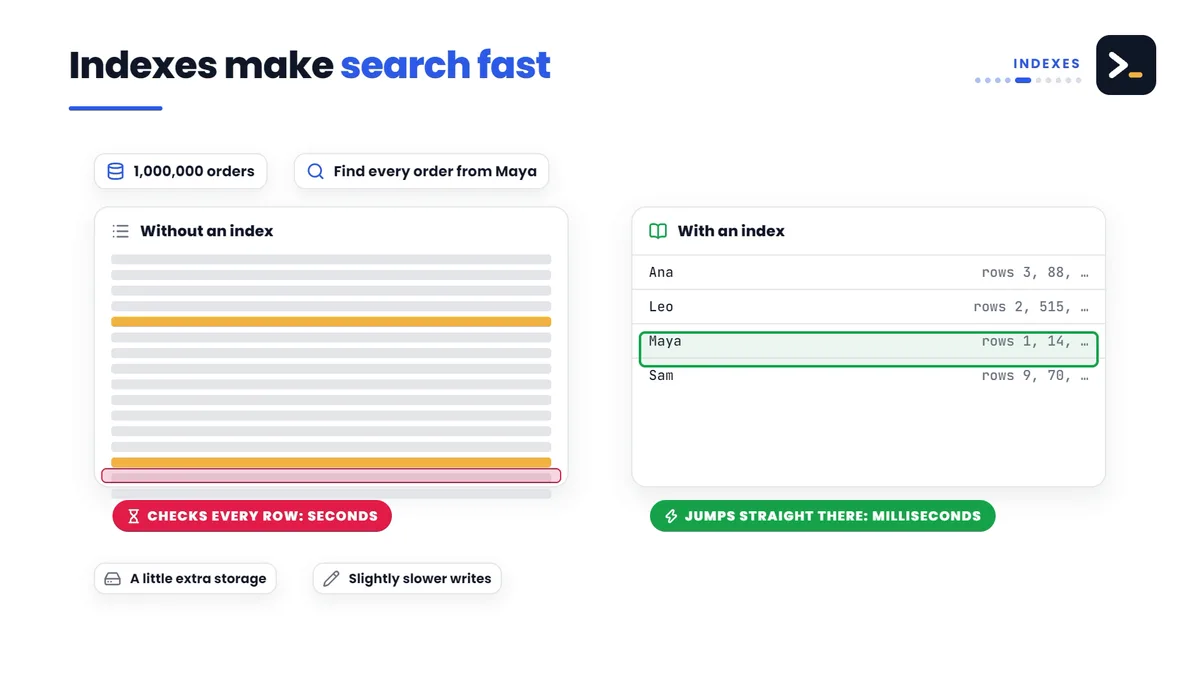
Imagine a million orders, and you need every order from one customer.
Without help, the database checks every row, one by one. That can take seconds.
An index works like the index at the back of a book. It jumps straight to the right rows. Now it takes milliseconds.
The trade off is a little extra storage, and slightly slower writes. So you add indexes for the searches you actually do.
Transactions: all or nothing
Here's a tricky moment. A customer pays, and the app needs to save the order, and charge the card.
What if the server crashes in the middle? The card was charged, but the order is gone.
A transaction groups steps together. Either they all happen, or none of them do.
If anything fails, the database rolls everything back, as if nothing happened.
SQL vs NoSQL
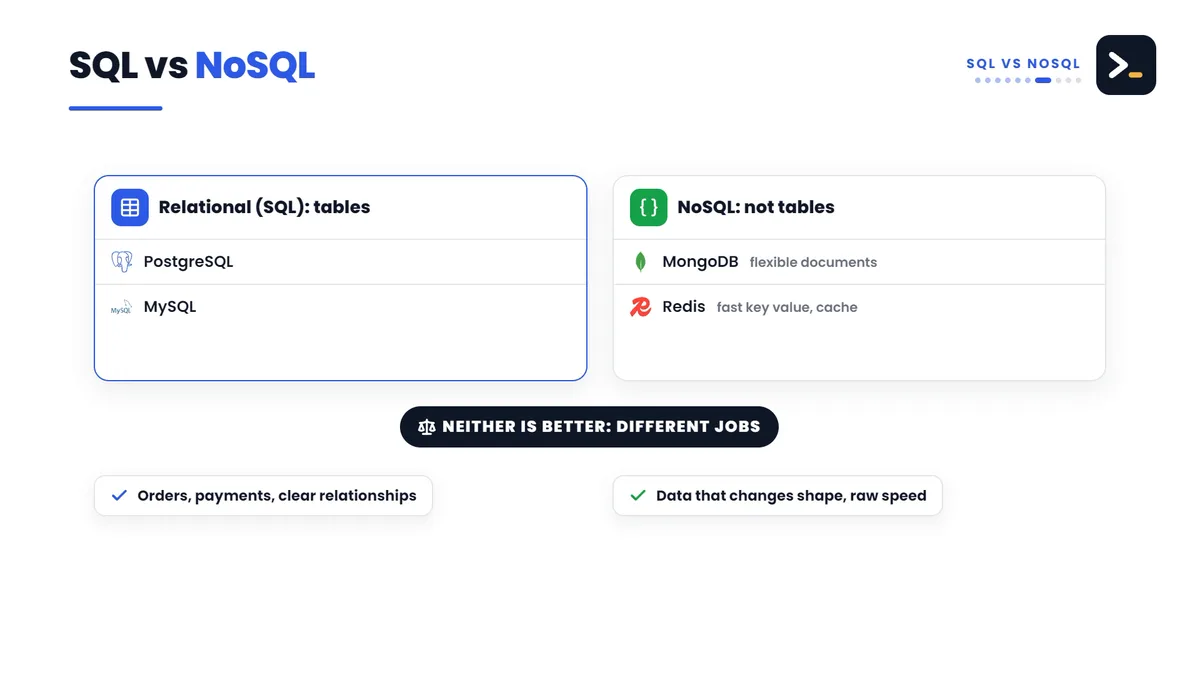
Not every database uses tables. Those are called NoSQL databases.
Some store flexible documents, like MongoDB. Some are very fast key value stores, like Redis, often used as a cache.
So which one is better? Neither. They're good at different things.
For orders, payments, and anything with clear relationships, a relational database like PostgreSQL or MySQL is usually the safe choice.
For flexible data that changes shape a lot, or for raw speed, NoSQL can fit better. Many apps use both.
Backups and replicas
Now, what happens when the database server dies?
Good teams keep a replica. A live copy on another server, ready to take over in seconds.
And they take regular backups, so they can go back to yesterday if something goes really wrong.
But here's the part people forget. A backup you've never tested restoring isn't really a backup.
Databases and AI
One more thing, because AI is changing databases too.
AI tools can turn text into a long list of numbers, that captures what the text means.
Vector databases store those numbers, so you can search by meaning, not just by exact words.
That's how an AI assistant can find the right page in your company's documents, even if you didn't use the same words.
Putting it all together
So let's put it together. A database stores data safely, for many users at once.
Tables hold rows and columns. SQL reads and writes them. Keys link tables together, and indexes make searches fast.
Transactions keep steps all or nothing. SQL and NoSQL fit different jobs. And backups only count if you test them.
That’s a database
That's a database. Where your app remembers everything.